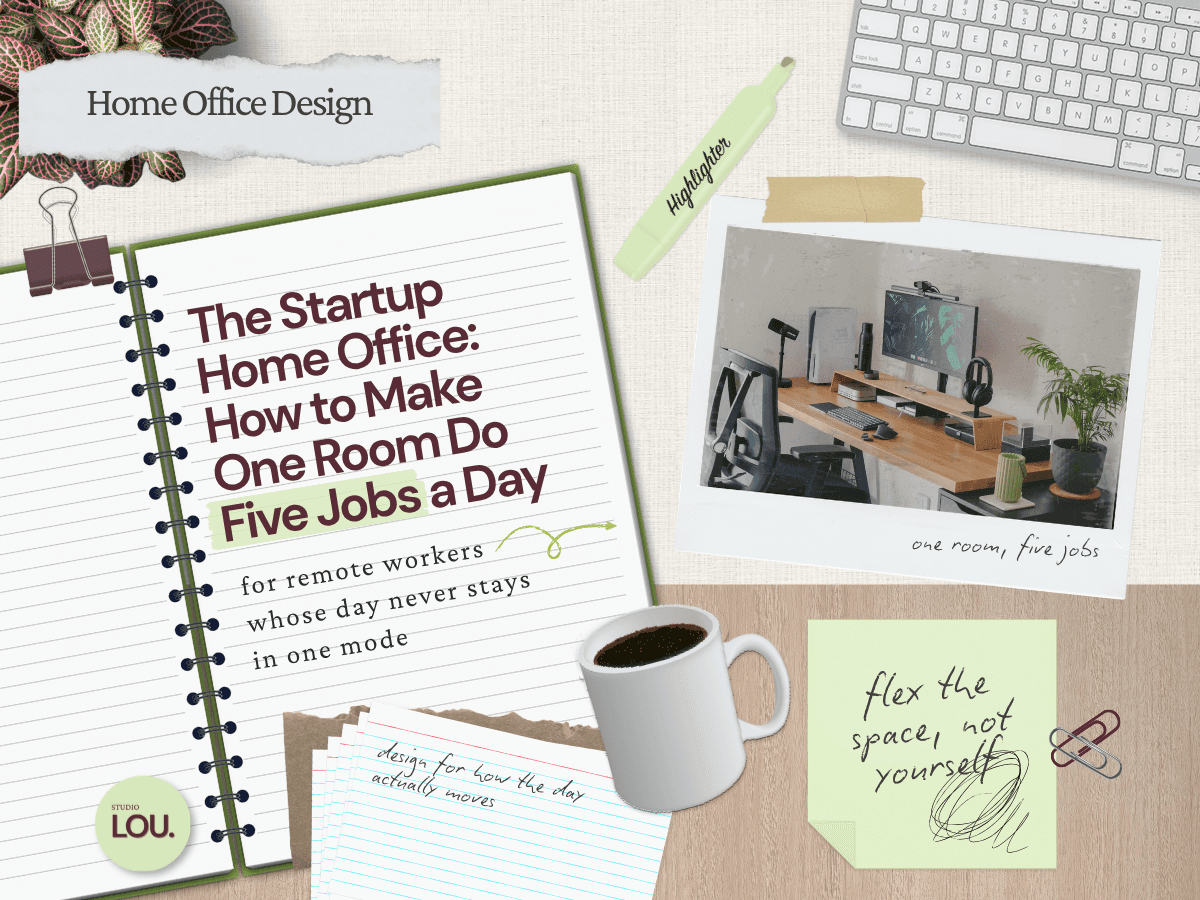
Home Office Design
Stylish Home Office Tech That Blends Design and Function

At a Glance | |
|---|---|
Tech That Works Great Without Ruining Your Style | Why the Wrong Gadgets Can Break Your Home Office Setup |
Home Office Setup Essentials That Blend With Your Style | Design-Friendly Tech for Zoom Calls and Meetings |
Stylish Accessories for a Comfortable Home Office | Smart Home Office Gadgets That Add Style and Function |
Sample Stylish Home Office Setups: Budget, Mid-Range, and High-End | Home Office Gadgets Not Worth Your Money (and What to Buy Instead) |
Introduction: Tech That Works Great Without Ruining Your Style
A beautiful home office can quickly lose its appeal when cluttered with clunky monitors, tangled cords, or gadgets that don’t fit the look of the room. While remote work has made reliable tech non-negotiable, too often those essentials clash with the design choices that make a space feel calm, inspiring, and professional.
Most home offices also evolve piece by piece. An extra monitor here, a last-minute webcam there, and before long the setup feels chaotic even if it works. For a long stretch, my office was a corner of a bedroom: laptop only, no external keyboard or mouse, one table lamp, and a chair that backed almost into the end of the bed. It worked okay, but nothing about it was actually considered.
The good news is that you don’t have to choose between function and style. This guide breaks down the best home office tech from the essentials to smart extras, with practical tips and gear suggestions that keep your workspace productive and polished. If you're still planning the room itself, my Home Office Design Guide covers the bigger picture, from choosing your space and furniture to lighting, ergonomics, storage, and technology.
Why the Wrong Gadgets Can Break Your Home Office Setup
Not all home office tech is created equal. The wrong gadgets can frustrate you with poor performance and undermine the look of your space. A bulky printer on the floor, wires across the room, or oversized speakers can undo even the most thoughtful design.
Many people build their workstations over time, adding an extra monitor here and a webcam there until the space feels disorganized, even if technically functional. One study on remote work equipment found that poor gear choices directly affect posture, comfort, and overall satisfaction.
In small spaces, it's not always possible to hide equipment. Choosing neutral finishes, clean lines, and low-profile designs helps your office feel pulled together while still delivering the performance you need. My own solution was to give the overflow a container: a Mustard Made metal locker that holds supplies and the tech I don't use daily. It reads as furniture from across the room and as storage when it's open, which is the only reason my desk surface stays (mostly) clear.
Step 1: Home Office Setup Essentials That Blend With Your Style
Every office needs a few non-negotiables: reliable internet, a solid screen setup, and a workspace that supports posture. These essentials form the foundation of a space that feels functional and polished.
Start with your internet connection. Slow or patchy Wi-Fi makes video calls painful and stalls productivity. Mesh routers spread coverage across rooms and often come in neutral finishes.
Next, consider your screen setup. A dual monitor home office configuration is one of the simplest ways to boost comfort and efficiency, but two large screens can overwhelm a small room, and the arrangement matters more than the count. Mine is a monitor on an arm with my laptop on a stand to its left at the same height, and splitting attention across the two of them has given me a persistent crick in my neck. If you're running two screens, decide which one is primary and center it, rather than letting them sit as equals the way mine do. Slim monitors and adjustable arms in finishes that reflect your furniture work best.
Look for ways to use multipurpose tech, making it both more convenient and visually appealing. For example, GravGoods highlights how smart wireless chargers can double as décor when chosen with finishes that enhance your space rather than clashing with it.
Small choices like wireless keyboards, cable sleeves, or brushed metal finishes keep surfaces open and let tech fade into the background instead of competing with your design. For more ways to keep cords, equipment, and supplies organized without sacrificing your design, see my home office storage solutions.
Step 2: Design-Friendly Tech for Zoom Calls and Meetings
Virtual meetings demand more than built-in laptop gear. Grainy video, muffled audio, and harsh lighting make you look unprofessional. Even a few simple upgrades can completely change how you look and sound on screen. Enhance your setup with these virtual meeting presentation tips for a polished appearance.
Start with a webcam. External webcams give sharper resolution, better angles and come in neutral colors that clip neatly to your monitor or tripod.
Audio matters just as much. Quality microphones and noise-canceling headphones cut background distractions and make your voice clearer to others. While oversized headsets may get the job done, sleeker options like low-profile over-ear headphones or discreet desktop mics keep your workstation professional without overwhelming your desk.
Lighting can make or break how you appear on camera. A simple ring light or LED panel helps balance shadows and prevents the washed-out look that overhead lighting creates.
Treat your camera, mic, and lighting as one coordinated toolset. When chosen thoughtfully, they improve how you look and sound minus the bulk or distraction. What sits behind you counts as part of that toolset too, though I'd stop short of designing your room around the camera. We rearranged this office several times before the desks landed where they are now, and only then did I style what the lens actually picks up: floating shelves, a plant that has survived me, and a vintage piece from my late great uncle's collection leaned against the locker. The two cats have cozy spots deliberately placed outside the frame, which is the single most effective video call upgrade in the room.
Step 3: Stylish Accessories for a Comfortable Home Office
The accessories you touch every day often matter most. Ergonomic keyboards, wrist rests, and chargers don't have to look clinical, and with the right finishes they can add comfort without standing out. Worth saying plainly: accessories improve a setup, they don't correct it. I have sat cross-legged in my chair since roughly the second grade, and no wrist rest on the market is going to argue me out of that.
Start with your desktop essentials. Mechanical-style keyboards now come in low-profile, minimalist designs in muted colorways rather than gaming finishes. Add a sleek wireless mouse in a matching finish and a fabric or leather wrist rest to keep your desktop consistent and free of cords.
Convenience accessories also matter. Wireless chargers, multiport USB hubs, and monitor risers come in streamlined forms that tuck neatly into your desk setup. Look for options in matte finishes or wood accents that match your existing décor.
The best accessories are the ones you barely notice. They make long days easier while letting the cohesion of your office shine.
Step 4: Smart Home Office Gadgets That Add Style and Function
Once the basics are covered, smart extras can make your office more efficient and enjoyable. The key is choosing gadgets that add convenience without overloading your space.
Start with smart plugs. They let you control lamps, chargers, and even fans from your phone or voice assistant. Look for compact versions in neutral colors so they disappear against the wall instead of calling attention to themselves.
Smart lighting is another worthwhile upgrade. Slim LED bulbs or app-controlled desk lamps let you shift brightness and color temperature to match your energy levels throughout the day. Warmer light can create a relaxed atmosphere in the evening, while cooler light keeps you focused in the morning.
Voice-controlled devices, app-based timers, and automation tools quietly adjust your environment. What makes these gadgets especially successful is how hidden they can be. Decorilla notes that they’ve become a trend in home office design, with more people seeking seamless tech integration.
When chosen well, smart gadgets don't call attention to themselves. They quietly handle the details, so your workspace stays calm, organized, and consistent with your design. That said, not everything in the room needs to disappear. The loudest object in my office is a red IKEA PS Collection floor lamp, and it stays because it's the one piece in here chosen for personality rather than performance. Neutral is a strategy for the equipment, not a rule for the room.
Sample Stylish Home Office Setups: Budget, Mid-Range, and High-End
Putting it all together can feel overwhelming, so here are three sample setups that balance function with style at different price points. Each one keeps hidden tech and design-friendly gear in mind so your office works well without looking cluttered.
Budget Setup
The Branch Adjustable Laptop Stand combines wood and aluminum for a décor-like look and collapses for travel.
A slim LED panel balances shadows on video calls and keeps clutter off your desk.
The Logitech’s Pebble Keys 2 K380 adds subtle design appeal with rounded keys; pair it with the wireless Logitech M720 Triathlon Mouse for balance.
Mid-Range Setup
A PAMO Cable Management Tray tucks power strips and cords beneath the desk for a polished look.
The MCHOSE GX87 Aluminum Custom Mechanical Keyboard improves ergonomics with finish options to match any style.
The Rise 2-in-1 Magnetic Wireless Charger powers phones and earbuds in a foldable, weighted stand.
High-End Setup
The Satechi Dual Dock Stand with NVMe SSD Enclosure lifts your laptop, adds storage, and integrates ports in a sleek aluminum frame.
The Grovemade Desk Shelf System elevates monitors with premium wood and metal while organizing tools and décor.
The Logitech Brio 4K Webcam delivers sharp video in a compact, metal-accented design.
Each of these combinations builds on the last, showing that you don’t need to spend a fortune to make your tech both functional and design-friendly. The difference lies in how carefully you choose pieces that blend into your home rather than fighting against it. Pair your gadgets with tech-compatible lighting solutions to optimize your workspace.
Home Office Gadgets Not Worth Your Money (and What to Buy Instead)
Not every shiny gadget is worth desk space. Some promise big improvements but end up adding clutter. Here are a few to skip and the smarter swaps that actually help.
Oversized Gaming Headsets
Bright colors, bulky structures, and limited microphone quality make them better for gaming than work calls.
Instead, try: Sleek noise-cancelling headphones or a lightweight external mic. They’ll improve call quality and blend better with a professional space.
Clunky All-in-One Printer/Scanners
Unless you print large batches daily, a traditional printer is just a dust collector that eats up square footage.
Instead, try: A compact wireless printer tucked in a cabinet, or use digital scan apps for documents you only occasionally need.
Rainbow LED Accessories
From glowing keyboards to rainbow-backlit headphones, RGB gear doesn’t belong in your home office. The flashing colors clash with everything else in the room and make your desk look distracting.
Instead, try: Peripherals with modern finishes in matte black, white, or aluminum. They work just as well, without turning your office into a light show.
Cheap Ring Lights
Harsh, unflattering, and prone to breaking, they rarely give you the clean look you want on video.
Instead, try: A minimal LED panel or adjustable desk lamp with warm-to-cool color modes. These provide professional lighting and act as part of your décor.
Skip the shortcuts and the gimmicks. Gear that combines form and function costs more upfront and stops costing you anything after that, which is the whole argument for buying it once.
Choosing Home Office Tech That Disappears Into the Room
The best home office tech is the tech you stop noticing. Good gear should hold up on a long call, support your posture, and then recede into the room instead of announcing itself from across the desk. That's a sourcing question more than a spending one, which is why the budget setup above and the high-end one follow the same logic in different materials.
Most of the offices I look at don't need to be rebuilt. They need the equipment that's already there to be placed, contained, and finished so it stops competing with everything else in the room. A locker, a cable tray, and one deliberate decision about which screen is primary will usually do more than a new purchase.
If you've already bought the gear and the room still feels like a workstation instead of a space, that's the version of this problem I like working on most. I build virtual home office plans around equipment clients already own, so you can get in touch here if you want a second set of eyes on yours.
Be the first to know about every new letter.
No spam, unsubscribe anytime.